
The 6.5-Hour Unlock: How Small Businesses Are Using AI Agents for Multi-Step Workflows — And Why ROI Starts Here
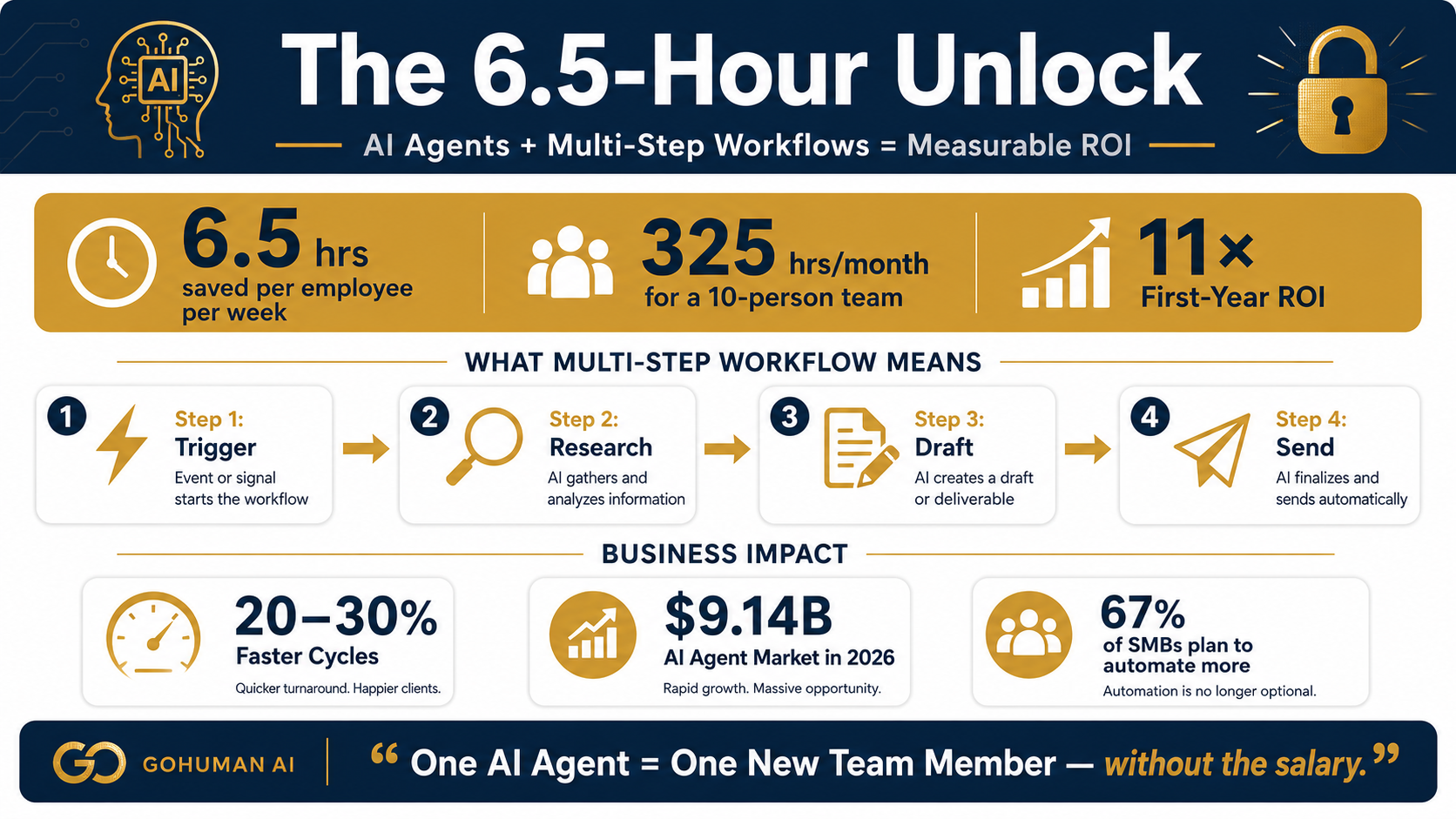
A single employee using an AI agent to automate a multi-step workflow saves 6.5 hours per week. For a ten-person team, that is 325 hours per month — equivalent to hiring a new person without paying salary, benefits, or overhead. The surprising part is not the math. It is that most small businesses have not yet identified which workflow to automate first.
The AI automation story has been told mostly backwards. The headline-grabbing stories are about AI replacing entire job categories, or about massive enterprises automating their largest operations. What gets less attention is the quiet, reliable, repeatable path that small business owners are actually finding: identify one multi-step workflow that takes 10–15 human hours per week, automate it with an AI agent, measure the result, and move to the next one.
That path is generating returns that would have required hiring a new person five years ago. And it is scalable. Most small businesses have five to ten workflows that fit the profile — meaning the arithmetic compounds quickly. The businesses that started this process in early 2026 are now running four to six agents in parallel, handling everything from customer intake to invoice processing to report generation. The ones that have not started are still drowning in the same manual processes that were consuming them six months ago.
The difference is not new technology. It is clarity about where to focus first.
The Productivity Numbers Behind Multi-Step Automation
Before diving into which workflows to automate, let us look at what the data actually shows. These are not theoretical projections or best-case scenarios. These are verified outcomes from real businesses that have deployed multi-step AI agents:
6.5 hrs
Saved Per Employee Per Week
From multi-step workflow automation
11×
First-Year ROI
Median across case studies
To put 6.5 hours per week in perspective: if one employee is spending 10 hours per week on a multi-step, high-touch workflow, automating it frees up 65% of their time. That is not a marginal productivity gain. That is the difference between one person managing a process and one person disappearing from that process entirely, while still showing up to work. Their capacity shifts to high-value work: strategy, relationship-building, creative problem-solving.
For a business with ten employees where multiple people are spending 10–15 hours weekly on overlapping processes, the multiplication effect is stark. You are looking at 325 hours freed per month. At a loaded cost of $50–$75 per hour (salary + benefits + overhead), that is $16,250 to $24,375 in monthly value generated by one AI agent deployment. Many multi-step workflow agents cost $500–$2,000 per month to run — meaning the ROI math closes in the first thirty days.
The 11× first-year ROI cited above assumes you stack multiple agents and amortize setup costs. But even conservative estimates show 3–5× ROI on a single well-chosen workflow in the first year. The businesses that are hitting 276% ROI (like Coupa documented in their deployment study) are typically the ones running four to six agents in parallel and optimizing them iteratively.
Why Multi-Step Workflows Are the Real Automation Opportunity
There is a crucial distinction between what AI can do and what AI agents specifically excel at. Simple automation — a chatbot answering the same five questions, a tool extracting data from an email — can be valuable, but it is bounded. Most small businesses have already solved the simple problems. What they have not solved are the complex, multi-step workflows that require judgment and coordination.
A multi-step workflow looks like this: a customer inquiry comes in (step one). It needs to be routed to the right person and prioritized based on urgency (step two). Related information needs to be pulled from three different systems (step three). A custom response needs to be drafted (step four). That response needs approval before sending (step five). An action item needs to be created and assigned (step six). And a follow-up needs to be scheduled (step seven).
A chatbot can handle step one. A simple automation tool can handle steps two and six if you write enough rules. But the whole thing? Requiring context, reasoning, and coordination across systems? That is what AI agents are actually built for. And that is why they generate such dramatic productivity gains.
The difference between an AI agent and a simpler automation tool is agency — the ability to reason about a goal, recall context, plan a multi-step path forward, and take actions independently. That is the superskill that turns 30 minutes of work into 30 seconds of work.
The key distinction:
Simple automations save 5–15% of a process. Multi-step AI agents automate 70–90% of a process. The difference in ROI is not incremental — it is generational.
The Workflows Worth Automating First (And How to Find Them)
The fastest way to generate ROI is to identify which of your workflows should be automated first. Most small businesses have more candidates than they realize. Here is the framework for finding your quick-win:
1. Look for repetition with variation. A workflow that happens the same way every single time is usually already automated or can be handled by a simpler tool. The candidates for AI agents are workflows that happen 5–50 times per week but with enough variation that each one requires human judgment. Customer intake, lead qualification, expense approval, report generation — these are the patterns.
2. Measure the time sink accurately. Do not guess. Track for one week how many hours people spend on this workflow. If it is less than 5 hours per week across your team, the ROI will take longer. If it is 10–30 hours per week, you have a candidate. If it is 30+ hours per week, that is a high-priority target.
3. Check for downstream impact. Some workflows matter more than others because they are gates to other work. A bottleneck in customer intake might be delaying 50 follow-up conversations. Automating the bottleneck multiplies the value. A workflow that takes 10 hours per week but unlocks 40 hours of work downstream is worth automating first.
4. Audit your data readiness. The hardest part of multi-step automation is not the AI — it is the data. If your customer information is scattered across three CRMs, your data is incomplete and unreliable. AI agents can work with imperfect data, but they work much better with clean data. Quickly assessing data quality (Do you have 80%+ of the information needed in one place? Is it updated within the last month?) will tell you which workflows are actually automation-ready.
5. Start with the quick win, not the biggest problem. Many small business owners want to automate their most painful workflow first. Sometimes that is right. More often, the most painful workflow is painful because it has complex legacy systems or messy data. The quick-win workflow — 10–15 hours per week, clear data, straightforward steps, minimal legacy tech — that is usually your first agent. You get to ROI in 30–60 days, you build confidence, and then you tackle the harder problems.
20-30%
Faster Workflow Cycles
$9.14B
AI Agent Market in 2026
276%
Peak ROI (Coupa Case Study)
The Deployment Path: From Pilot to Scalable Agent
The most common mistake is thinking of an AI agent as something you build once and then it runs forever. The better mental model is continuous iteration. Your first agent will be 60–70% effective. The second time you run it, you gather data on where it struggles. By the third week, you are at 85–90% effectiveness. By week eight, you are at 95%+, and the learning curve flattens.
The human in the loop is critical during this ramp-up. An agent handling 60% of a workflow autonomously and flagging the other 40% for human review is not a failure — it is exactly what you want in weeks one and two. By week three, that 40% shrinks to 20%. By week six, it is 5–10%. That is when you can start letting the agent run without human eyes on every single transaction.
The scaling path looks like this: Pick workflow one (weeks 1–8: pilot and optimize). Once it is running at 90%+ effectiveness, start workflow two in parallel (weeks 5–12). Once workflow two is optimized, start workflow three. By month six, you have three agents running in parallel, each saving 5–7 hours per week. By month twelve, you have five to six agents live, each one compounding the efficiency of your operation.
The businesses that have hit 11× ROI have typically followed this cadence. They started with one agent in January 2026, got to ROI by March, added a second in April, a third by June, and by August they have four to five agents handling everything from lead qualification to invoice processing. Meanwhile, businesses that decided to wait for the perfect use case or the perfect agent are still at zero.
Why Now Matters More Than You Think
The AI agent market is projected to reach $9.14 billion in 2026. That growth is not theoretical — it is real businesses scaling these deployments right now. The competitive window is closing. In six months, multi-step workflow automation will not be a differentiator — it will be a baseline expectation.
Small businesses that start their first agent deployment in August 2026 will have three to four agents live by year-end. Small businesses that start in January 2027 will be playing catch-up for the entire year. The 6.5 hours per week that your competitor just freed up? That is now 6.5 hours per week of competitive advantage you are not capturing.
The calculus is simple: identify your first multi-step workflow, deploy an agent, measure the result, iterate, and scale. The ROI window closes fast once everyone else figures it out. The businesses that move in the next 60 days will be years ahead of those that wait.
At GoHuman AI, this is exactly what we do with new clients. We audit your workflows, identify your quick-win candidate, deploy an agent, train your team on how to work alongside it, and then help you scale to the next workflow. If you have a multi-step workflow burning 10+ hours per week and you want to see what 6.5 hours per week of automation actually looks like, that conversation is exactly where we start.
Related Reading
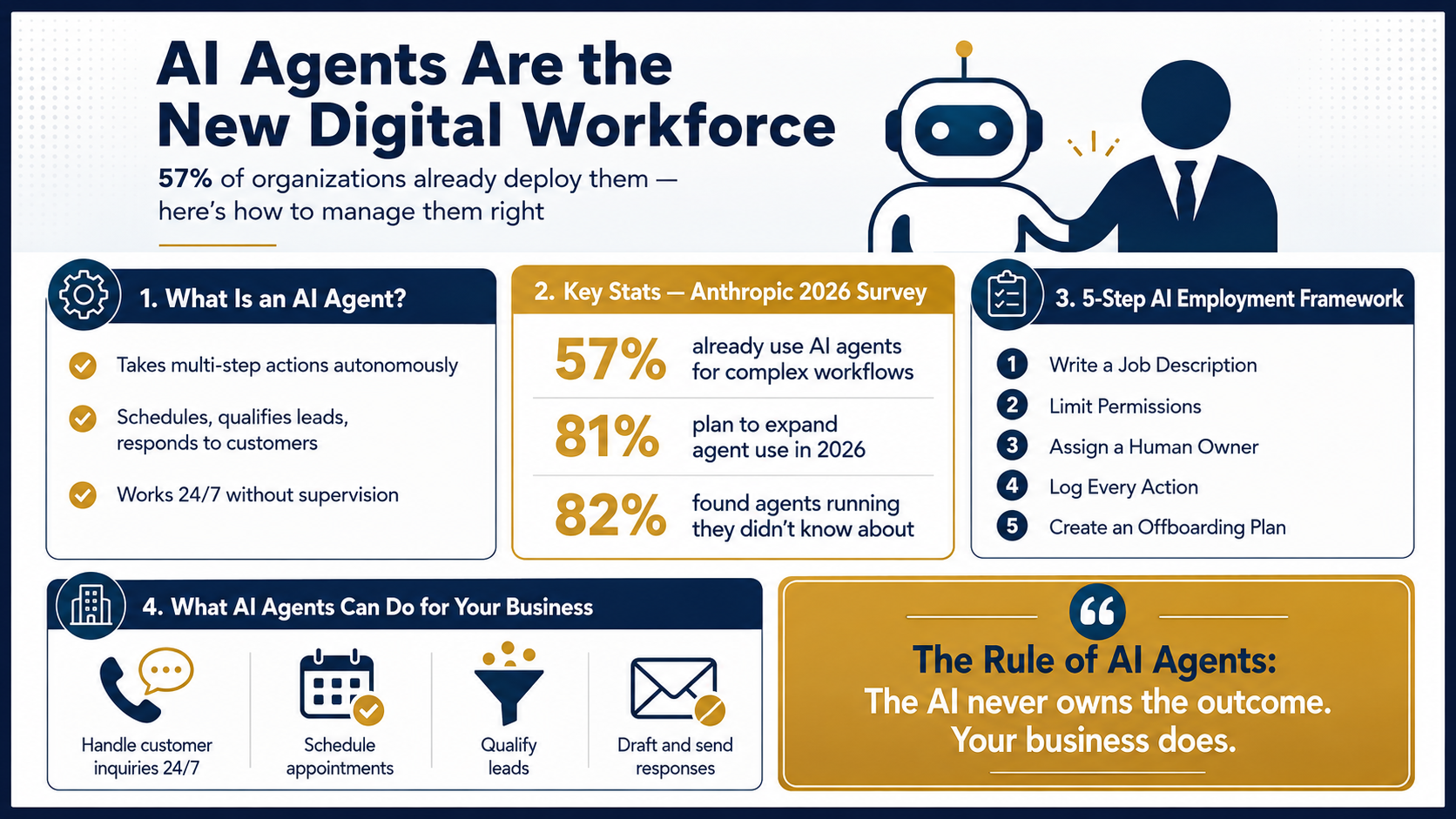
Your First AI Employee: What Small Business Owners Need to Know About AI Agents
The 5-step framework for deploying your first agent from planning through launch.
Why Every AI Agent Needs a Human in the Loop
How structured oversight turns pilot agents into production-ready systems.
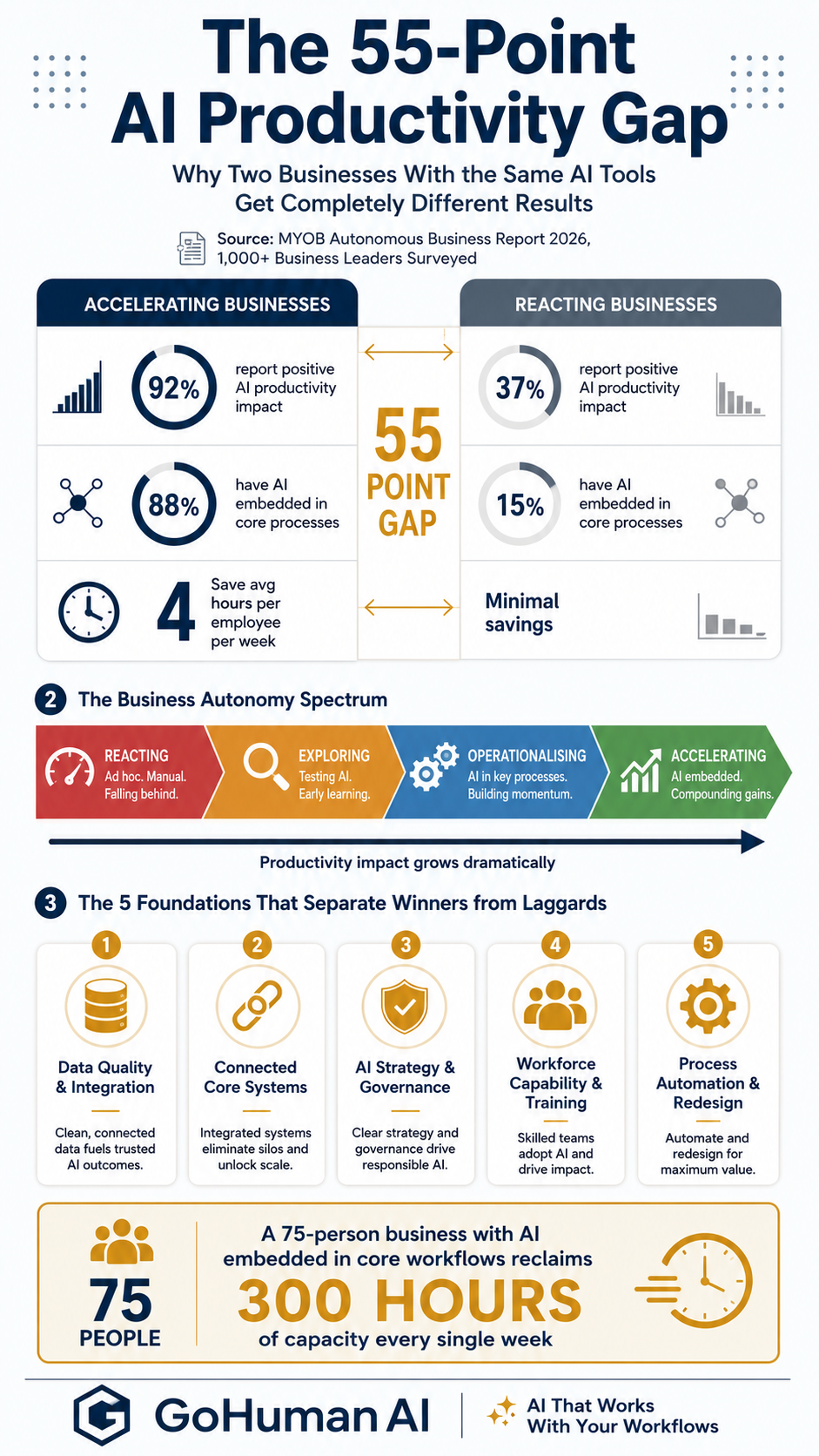
The 55-Point Productivity Gap: Why Two Businesses With the Same AI Tools Get Completely Different Results
Why data connection and workflow integration are the real lever for ROI.
Ready to find your 6.5-hour unlock? Let us identify your quick-win workflow and show you what automation actually looks like.